
Donna AI Song & Music Maker
MOBIVERSITE YAZILIM BILISIM REKLAM VE DANISMANLIKMusic & Audio
4.711.50K Reviews
- Version
- 1.0.98
- Installs
- 10.00M
- Age Rating
- Teen
Screenshots
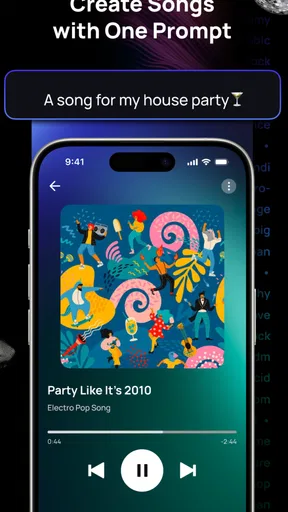
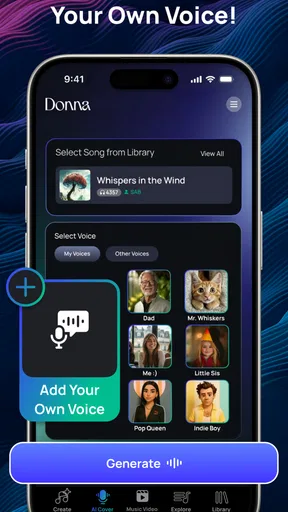
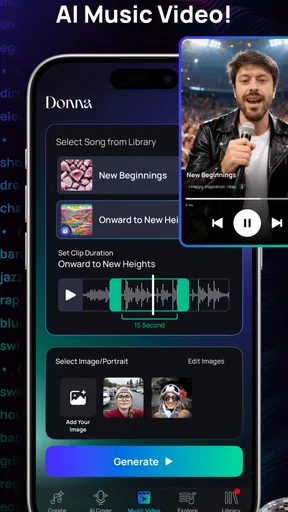
Our Review of Donna AI Song & Music Maker
 Analysis by Appyee
I like the idea of being able to turn a loose musical thought into something you can listen back to without first learning a full production setup. That is the appeal of Donna AI Song & Music Maker: it is a music and audio app built around AI-assisted song creation, with room to explore styles such as rap, pop, rock, and gospel. I’d approach it as a place to sketch and experiment, rather than assume it will replace a dedicated recording studio or a musician’s usual production tools.
A practical first session
My most useful starting habit with a creative app like this is to decide what I want from a session before tapping around: a mood, a genre direction, or even just a short hook. That small constraint helps keep the process playful without letting endless possibilities turn into indecision. Donna AI is free to install, but it includes optional in-app purchases ranging from $0.99 to $79.99 per item, so I would check the purchase screens carefully before committing to anything.
For an everyday use case, imagine having a melody in your head during a commute or while doing chores. I’d make a quick note of the phrase and return to it when I have a quiet moment, using the app to explore whether it works better as a rap idea, a pop chorus, or something with a rock feel. The value is in getting from “I might have a song” to a rough creative direction. It is less suited to someone who expects every first attempt to sound finished or release-ready.
Build a repeatable creative routine
When an AI music tool offers several possible directions, I find it helps to change one thing at a time. Keep the central idea steady, then compare a different genre or lyrical angle rather than starting over with an entirely new prompt each time. That makes it easier to tell whether a result improved because of the change you made, and it gives you a clearer sense of what kind of input produces something closer to your taste.
I’d also treat early generations as drafts, not verdicts. A result that misses the mark can still reveal a useful rhythm, phrase, or contrast. Save a short written note about what worked before moving on; otherwise, it’s easy to forget why one version felt stronger than another. This is a simple workflow tip rather than a special app feature, but it makes AI-assisted creation more intentional and less like pulling a lever at random.
Who will get the most from it
I think the app is a good fit for curious beginners, casual creators, and songwriters who want a quick way to test ideas without opening a complex desktop project. It can also be useful when you want a playful starting point for a writing session or need inspiration after getting stuck. If your main goal is to learn harmony, arrange every instrument by hand, or mix a polished master with precise control, a conventional digital audio workstation will probably suit you better.
That distinction matters because AI-generated music can help you explore, but it does not automatically teach the craft behind a song. You may still need to make your own decisions about structure, performance, and whether a generated idea genuinely fits what you want to say. I’d use the app as a creative partner for possibilities, while keeping my own judgment in charge of what deserves to be developed further.
How it sits beside other music apps
Compared with a standard recording or beat-making app, Donna AI puts the emphasis on generating musical starting points rather than building every part from scratch. That can make it less intimidating if you don’t play an instrument or know your way around a mixer. On the other hand, musicians who want detailed control over recording, editing, and arrangement may prefer a traditional DAW, where the extra complexity brings more direct control.
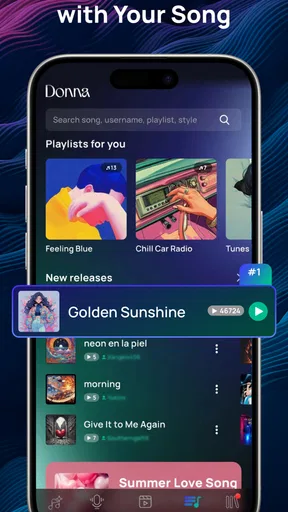
It also serves a different purpose from a streaming app: it is for making and exploring ideas, not simply choosing finished songs to listen to. I would not judge it by whether it replaces either category. Its strongest role is as a low-friction creative experiment, especially when you have a concept but aren’t sure what sound should carry it.
Getting Started with Donna AI
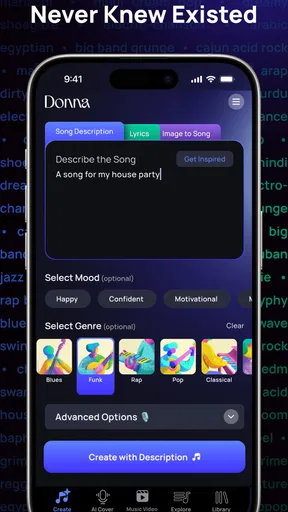
The first thing I noticed when opening Donna AI Song & Music Maker is its sleek and user-friendly interface. Seriously, the layout is super intuitive. Even if you’re new to music-making apps, you’ll find your way around in no time. The app greets you with a quick tutorial, which is perfect for getting a hang of the basics without feeling overwhelmed.
Once you’re in, you’ll find a variety of tools that let you experiment with different sounds and beats. The app offers a vast library of samples and loops, which are categorized neatly, making it easy to find exactly what you need. Whether you’re into hip-hop, EDM, or even classical music, there’s something here for everyone.
Features That Stand Out
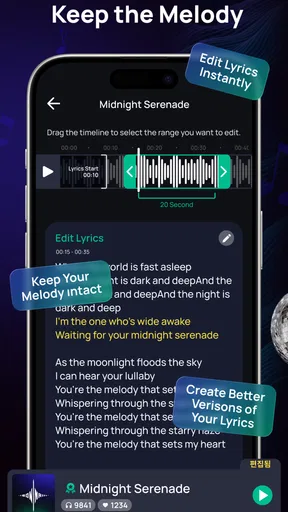
One feature I absolutely love is the AI-assisted composition. You can literally hum a tune, and the app’s AI will turn your humming into a full-fledged track. It’s like having a mini studio in your pocket. And the best part? The AI learns from your inputs, so the more you use it, the better it gets at understanding your style.
Another cool feature is the collaboration tool. You can invite friends or fellow musicians to join your project and work on tracks together. It’s seamless and adds a social element to music creation, which I find really motivating. Who knew creating music could be so interactive?
Creating a Masterpiece
Now, let’s talk about the actual music-making process. The app provides a digital audio workstation (DAW) that’s surprisingly robust. You can layer tracks, adjust volumes, and add effects with just a few taps. The interface is clean, so you won’t feel cluttered with too many buttons or options.
I spent a good few hours just playing around with different sounds and creating beats. The drag-and-drop feature for arranging loops is a lifesaver. Plus, the app supports MIDI controllers, which means you can connect your gear and get even more hands-on.
Performance and Usability
On the performance side, the app runs smoothly without any noticeable lag, even when layering multiple tracks. I tested it on both Android and iOS, and the experience was consistent. The developers have done a solid job optimizing it for different devices.
Usability-wise, the app is designed for both newbies and seasoned musicians. You’ll find a help section with tutorials and FAQs, which are actually useful. Not that you’ll need them much because, as I said, the interface is pretty intuitive.
Check the practical details before settling in
Donna AI is developed by MOBIVERSITE YAZILIM BILISIM REKLAM VE DANISMANLIK, and its audience is broad: the age rating is Everyone. It has a 4.6 average from around 327,000 ratings, with more than 5 million installs. Those figures suggest that it has reached well beyond a tiny niche, though popularity alone cannot tell you whether its creative approach will suit your habits.
The current version is 1.0.75, and the listed minimum operating system is 8.0. I’d check that your device meets the requirement before building a routine around the app, especially if you’re using an older phone or tablet. The app is free to download, while optional purchases can add up to $79.99 per item. I’d treat any paid option as a separate decision: first see whether the basic experience fits the way you actually make music.
Small habits that make experiments more useful
One easy way to get more value from song generation is to keep a narrow brief. Instead of asking for a complete identity for a track, start with one clear job: test a chorus mood, find a rhythmic direction, or see whether a lyric idea belongs in a different genre. A focused goal makes it easier to judge the result and reduces the temptation to keep generating versions without learning from them.
When a result is close but not right, I’d identify the mismatch in plain language before trying again. Is the energy wrong, does the style feel too far from the lyric, or is the idea simply not memorable? That quick diagnosis gives the next attempt a purpose. It also helps separate a useful seed from a result that only sounds novel at first listen.
For collaboration, I’d agree on one small task before inviting someone into a project: for example, choosing between two directions or deciding which hook is worth developing. Sharing an unfinished idea can be motivating, but an open-ended session with no decision to make can become a string of reactions rather than progress. Treating collaboration as a focused listening check makes it more likely to help the song move forward.
Where I’d draw the line
The creative shortcut is also the main trade-off. A generated track can offer momentum, but it may not give a creator the fine-grained control or repeatable production process they need. If you are preparing music for a specific release, working to detailed arrangement requirements, or trying to learn how each musical part works, I would keep a conventional DAW in the picture. Donna AI can help with exploration; it should not be mistaken for a substitute for every stage of production.
I’d also be cautious about treating an AI result as the finished expression of a personal idea. Listen for whether the output actually serves the lyric or feeling you started with, rather than accepting it because it sounds complete. If you are using the app for a project that matters, review the relevant purchase choices and the app’s terms before investing money or building a workflow around it. That is sensible for any creative service, particularly when you expect to use the result beyond casual experimentation.
My take after weighing the workflow
Donna AI is at its best when I want to get unstuck, test a musical direction, or turn a passing thought into something concrete enough to react to. Its AI-centered approach lowers the barrier to trying a song idea, while its music-making tools make the experience feel more active than simply listening to generated audio. For newcomers, that can be a welcoming bridge into making music; for experienced producers, it is more of a sketching companion than a replacement studio.
Final Thoughts
Overall, Donna AI Song & Music Maker is a fantastic tool for anyone interested in making music. Whether you’re just starting out or looking to expand your creative toolkit, this app offers a plethora of features to experiment with. It’s accessible, fun, and most importantly, it makes the process of music creation feel less intimidating.
The combination of AI technology and user-friendly design really sets this app apart. Give it a try, and you might just find yourself getting lost in the world of music-making for hours. And believe me, that’s time well spent.
Verdict
Strengths of Donna AI Song & Music Maker
- Easy-to-use interface for beginners.
- Wide range of music templates available.
- Supports multiple audio formats.
- Real-time collaboration feature.
- High-quality sound output.
Limitations of Donna AI Song & Music Maker
- Limited instruments in free version.
- Occasional app crashes reported.
- No offline mode available.
- Requires in-app purchases for full features.
- Large file size may slow device.
Other Releases by MOBIVERSITE YAZILIM BILISIM REKLAM VE DANISMANLIK
View All
AI Photo Video Generator: IRMO
Art & Design4.5

KAI: Comic Maker Manga, Manhwa
Comics3.8

Landscape Design - AI Garden
House & Home4.4
Similar Picks in This Category
View All
YouTube Music
Google LLC4.4

Samsung Music
Samsung Electronics Co., Ltd.3.8

Spotify: Music and Podcasts
Spotify AB4.3

JioSaavn - Music & Podcasts
Saavn Media Limited4.3

Lark Player:Music Player & MP3
Lark Player Studio - Music, MP3 & Video Player4.6

StarMaker: Sing Karaoke Songs
SKYWORK AI PTE. LTD.4.3
Frequently Asked Questions
What is Donna AI Song & Music Maker?
Donna AI Song & Music Maker is an innovative app that allows users to create music tracks with the help of artificial intelligence. It offers a range of tools and effects to compose, edit, and enhance songs, making it an ideal choice for both beginners and experienced musicians looking to explore new creative avenues.
How does Donna AI assist in music creation?
Donna AI utilizes advanced algorithms to analyze your musical inputs and suggest improvements or additions. It can generate melodies, harmonize tracks, and offer stylistic advice to enhance your compositions. The AI is designed to inspire creativity while providing support to achieve professional-grade music production.
Is Donna AI Song & Music Maker user-friendly for beginners?
Yes, Donna AI Song & Music Maker is designed with an intuitive interface that caters to users of all skill levels. Beginners will find the step-by-step guidance helpful, while tutorials and in-app tips make it easy to start creating music without prior experience. The app balances simplicity with powerful features.
What are the main features of Donna AI Song & Music Maker?
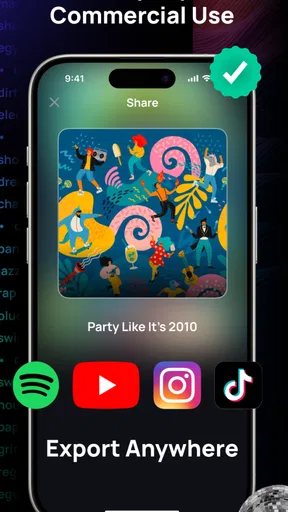
Key features of Donna AI Song & Music Maker include AI-generated music suggestions, a wide variety of instruments and sound effects, multi-track editing, and real-time collaboration options. Users can also export their creations in multiple formats and share them directly through social media or other platforms.
Are there any subscription fees for using Donna AI Song & Music Maker?
Donna AI Song & Music Maker offers a free version with basic features, and a premium subscription is available for users who need access to advanced tools and functionalities. The premium plan typically includes exclusive sound libraries, additional AI capabilities, and ad-free usage. Pricing details vary, so it's best to check the app store for the latest information.
